Customer
Limagrain
Industry
Agronomy
Project duration
Feb 2025 - May 2025
Context
So, what does a seed technician do?
Estimate yields as early as possible in order to help producers achieve the best yield.
Conduct a detailed review at the end of the season, comparing your operation with others.
Base field observations on the number of leaves and the cumulative degree days received by the plant. (not visible in Seedprod)
Problem
A prediction is information that the software estimates based on what it already knows, such as the variety of the plant.
In Seedprod, the sowing date is actual data since it is entered by the farmer. Flowering, on the other hand, is predicted data calculated using degree days: this is the number of degrees that the plant must accumulate to reach this stage.
However, current predictions lack context and are difficult for seed technicians to interpret. They struggle to trust them because they do not understand their origin.
“I don't understand the prediction. I don't know how degree days were used or how my variety is taken into account. I prefer to ignore it and rely on my experience.”
Loïc Perrault
Seed technician
Challenges
Specialised vocabulary
Agronomic vocabulary was previously unknown to me. I had never heard of degree days, pollen isolation or phenological stages. The latter corresponds to a specific stage in a plant's development, such as the appearance of leaves, flowering or grain formation.
Through discussions with the Product Owner and Product Manager, I was able to learn more about maize cultivation, and these terms are now familiar to me.
Outsourced development
Limagrain has around ten digital products for eight in-house developers. As a result, not all products can be developed internally. The development of Seedprod is outsourced to an external agency.
The main challenge was not technical feasibility, as I was able to assess this thanks to my development knowledge, but rather communication. As their contact person was the PO, I had no direct contact with the developers. At the end of the project, I presented my mock-ups to avoid any ambiguity and clarify key points.
Indirect access to users
At Limagrain, teams work in silos: marketing, sales, development and product. Direct contact with users is reserved for marketing and sales teams. I worked with the marketing manager to gather user feedback on predictions. I was very careful about interpretation bias, as the feedback is filtered by the marketing team.
Technical constraints
Users cannot enter data into the product. It's important to ensure that predictions are accurate, as seed technicians cannot edit them. The information displayed is retrieved from Agréo.
Current limitations
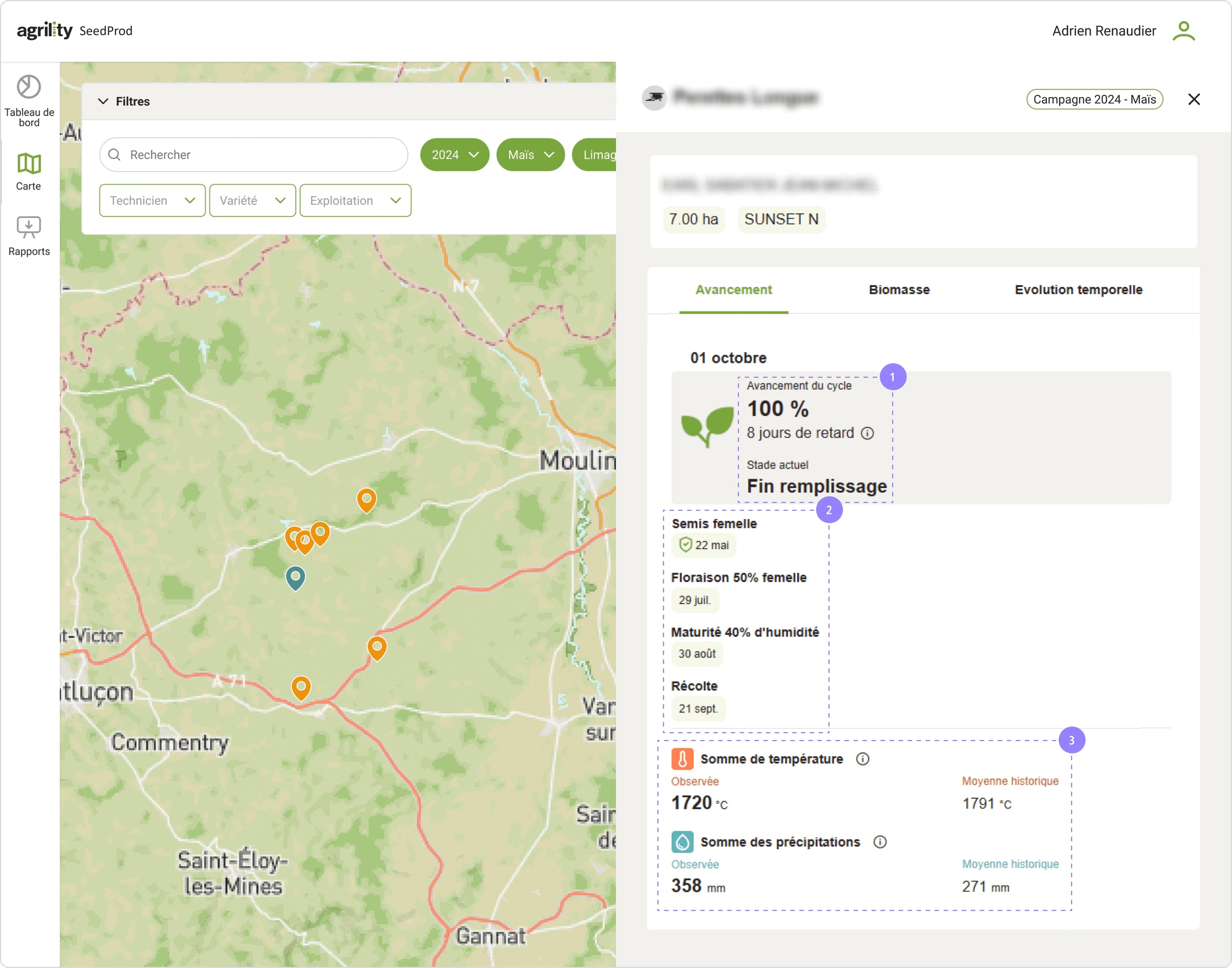
Currently, the software predicts 3 dates out of 4 phenological events:
Female sowing
When the farmer begins cultivation, he enters the sowing date into Agréo, a plot management software programme. It's not predicted.
Female 50% flowering
This is the beginning of pollination.
Maturity 40% humidity
This is the beginning of the grain drying process.
Harvest
This is the optimal date for obtaining
the best yield.
1
Technicians cannot plan upcoming interventions because they cannot see the next stages.
2
Predictions are mixed between those based on degree days (sowing, 50% flowering) and those based on humidity (40% maturity and harvest)
As a reminder, seed technicians recognise crop development stages based on degree days and the number of leaves.
3
The temperature sum is calculated using degree days, while the precipitation sum is based on humidity.
User meeting
In order to validate user pain points, I spent a day in the field alongside a seed technician.
Élodie Moreau (name changed) explained to me that she has very little time to use Seedprod. She often finishes her day at 8 p.m. and still has to enter information into Agréo.
She spends a lot of time on the road and answering the phone between field visits. She would like to devote as much time as possible to the plots and minimise administrative tasks.
She also confirmed that she uses the number of leaves and degree days to assess the current stage of her crops.
Élodie Moreau
Seed technician
Inspirations
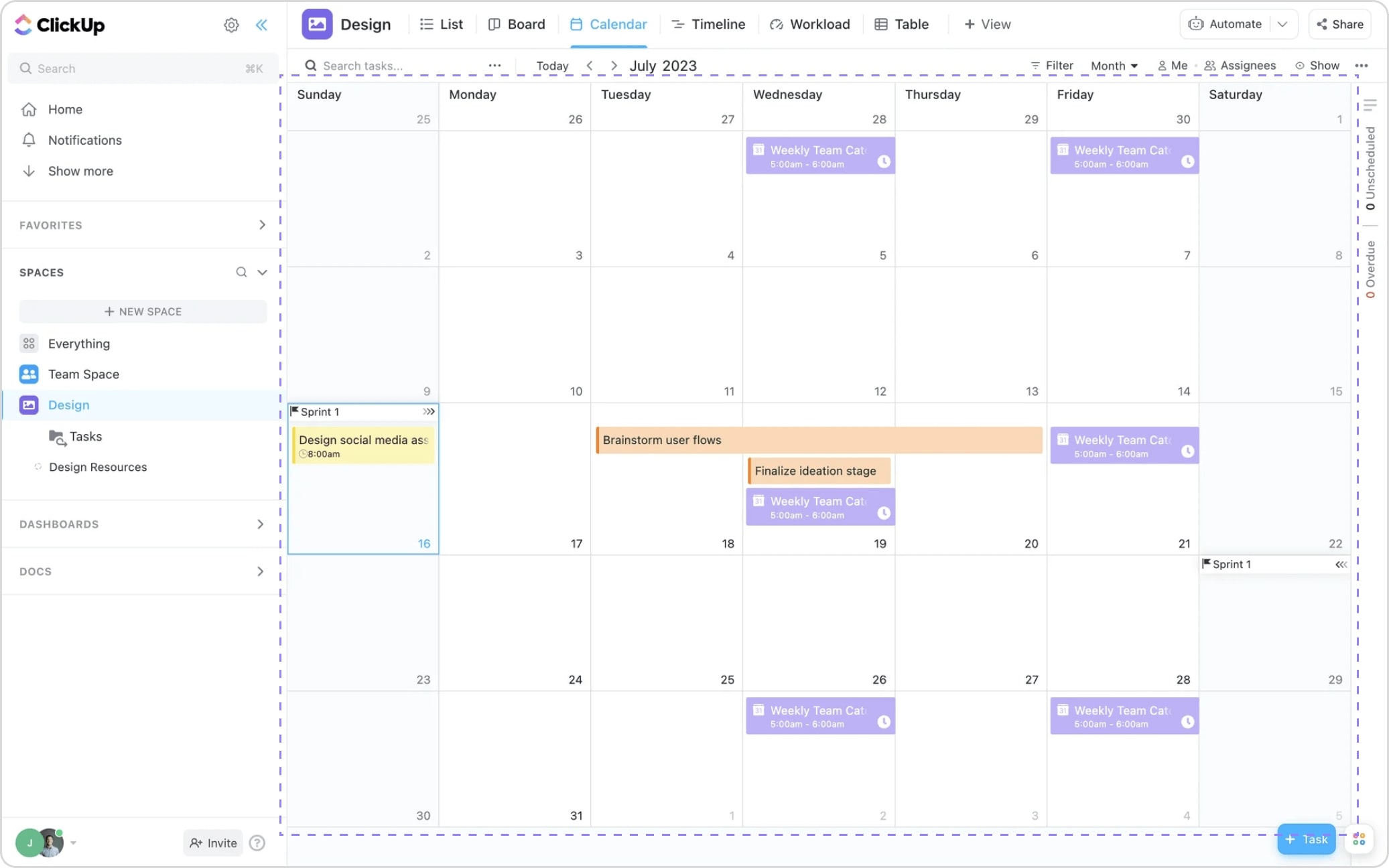
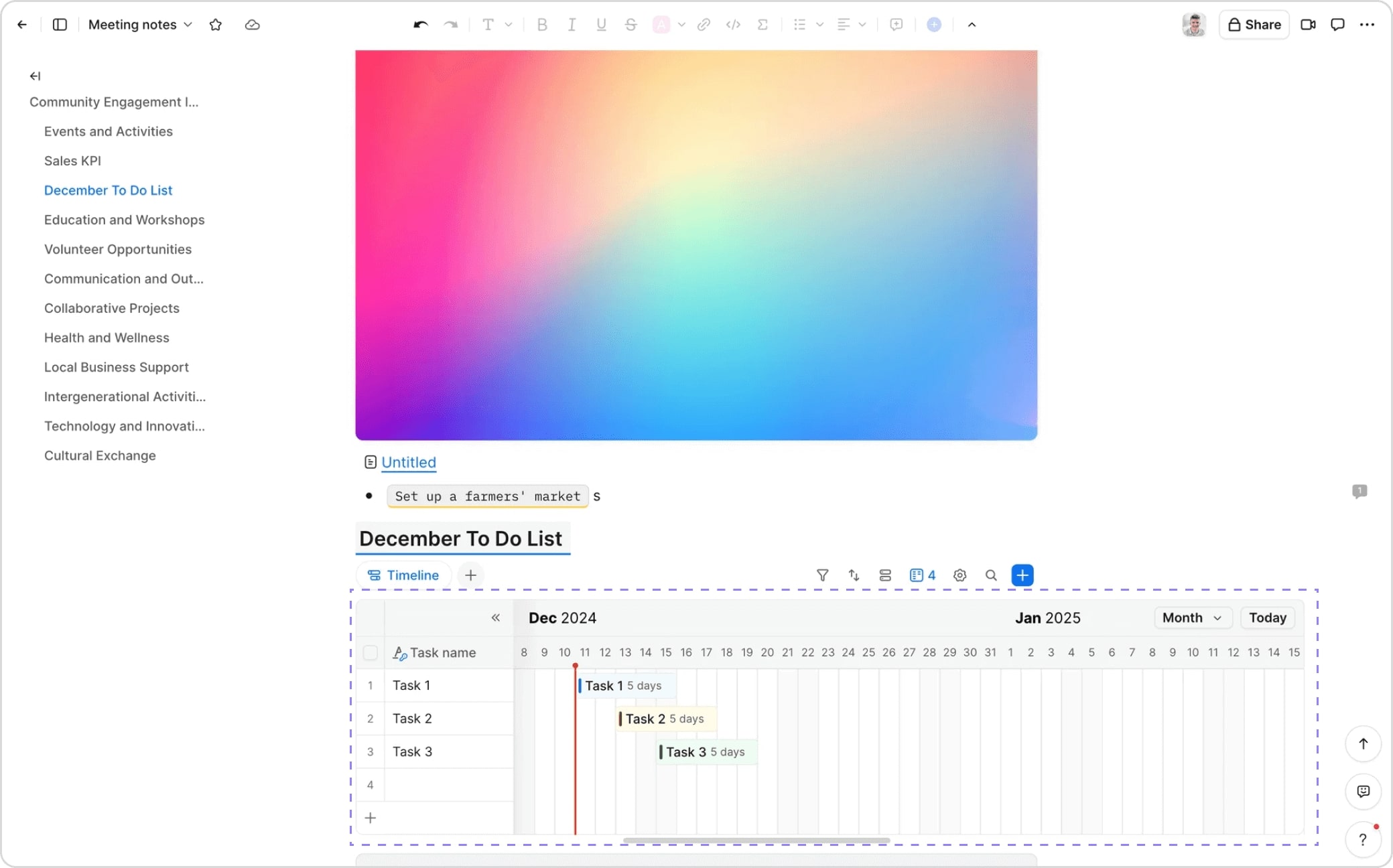
To compensate for the lack of long-term visibility and lack of time, I presented informations in calendar.
By bringing together all stages of cultivation in a single view, the cognitive load on technicians is reduced. They can focus on analysis rather than having to search for a specific date.
As they are already familiar with the flowering date and harvest window, a calendar naturally fits in with their monitoring of plant development.
Inspiration Clickup
Inspiration Zoom
Early explorations
Iteration 1

1
2
They cannot consult the information daily as it is only updated every three days. This will pose a problem when a critical event such as flowering approaches.
↪ Furthermore, the main obstacle is technical, as integration is complex and would require the use of a paid library.
Iteration 2
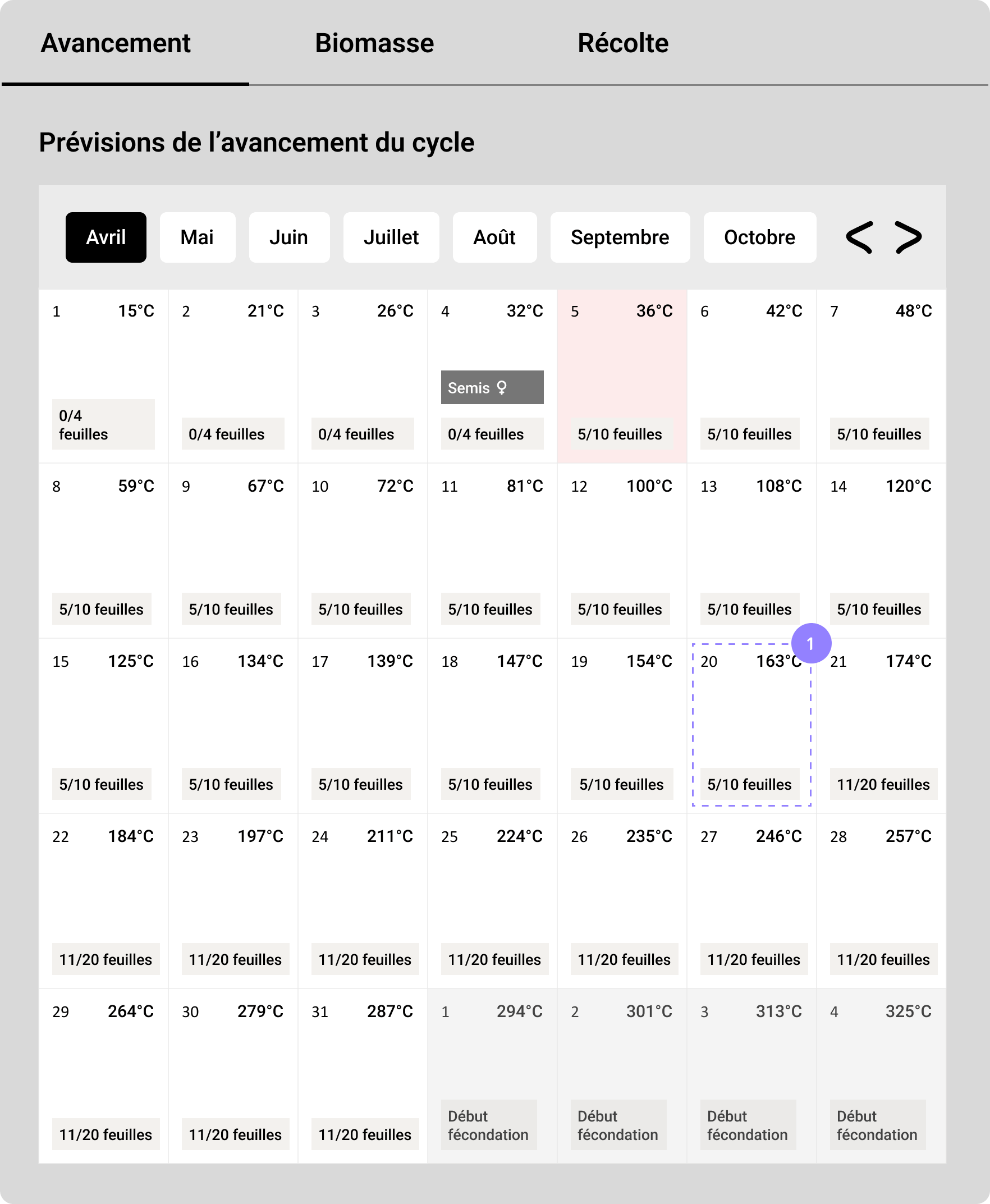
1
The user can view each date with its degree day and associated stage.
↪ However, the constraint of using a paid library remains and would require a complete overhaul of the current design. As the project must be finalised before the start of the season in three months' time, it is preferable to prioritise efficiency.
Iteration 3
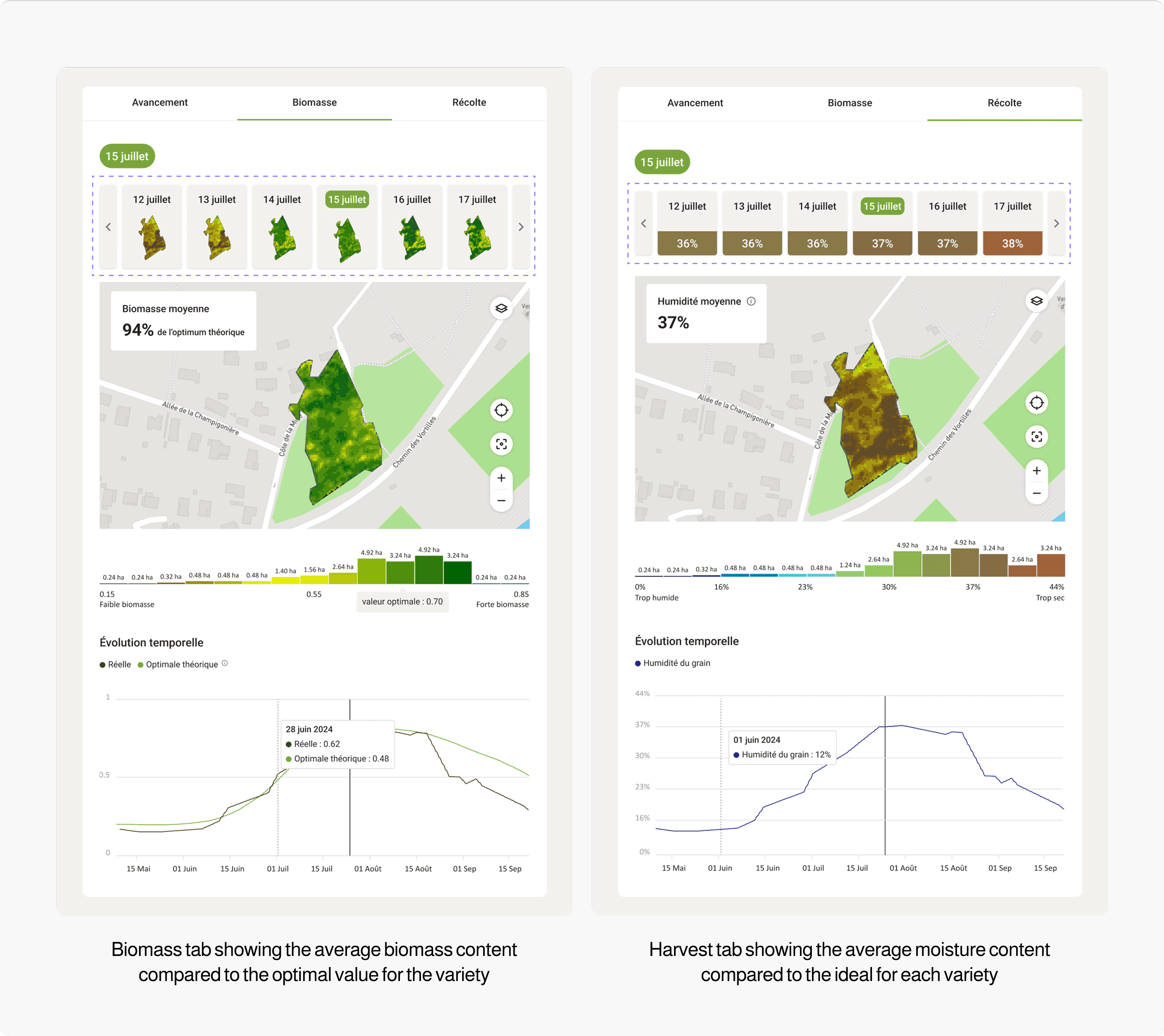
↪ By consolidating all stages of cultivation into a single view, the cognitive load on technicians is reduced. They can focus on analysis rather than having to search for a specific date.

↪ This version shows the next six days, but it is still not very user-friendly for quickly identifying a specific stage, requiring several clicks in this case.
Prototype
After several discussions with the PM and PO, I decided to distinguish between stages, which show daily progress, and phenological events that require specific action.
Iteration 1
The technicians had reported confusion due to information displayed that was not related to degree days (the 40% maturity date, the harvest date and the total rainfall). By removing this information, they will now only see data directly related to degree days.
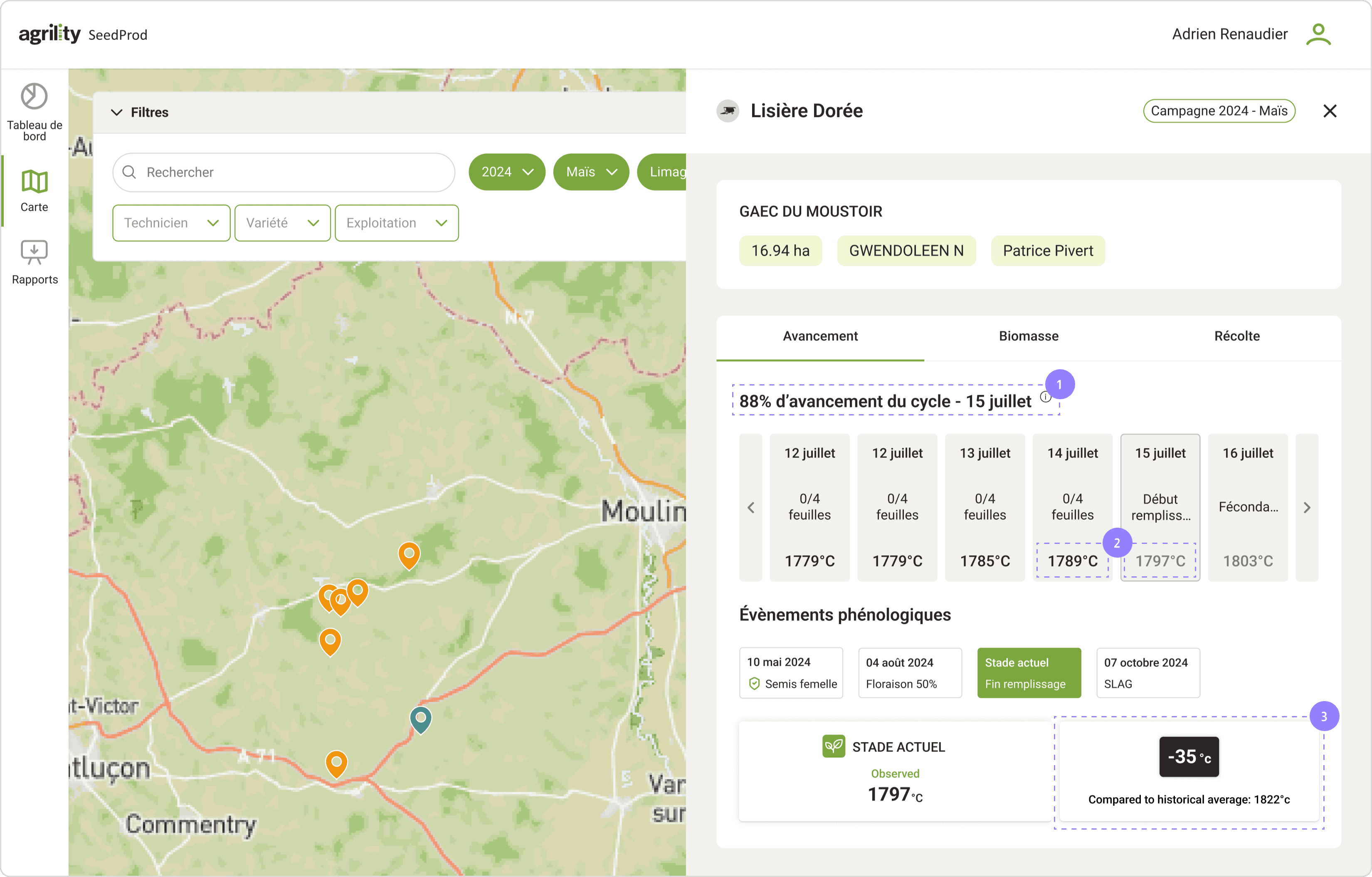
1
Informations on the current stage aren't grouped together. It is scattered across several locations, which can hinder clarity.
2
The difference in opacity on degree days reflects the difference between a predicted degree day and an actual degree day.
3
Comparing with the historical average allows us to anticipate whether we are ahead or behind our culture. Previously, users had to make a cognitive effort to calculate the difference.
↪ However, the current stage might seem disconnected from the other information, so it was necessary to bring it closer visually.
Iteration 2
By adding this context, the predictions make more sense, as the correlation between degree days, phenological events and subsequent stages is clearly shown.

1
The timeline allows you to quickly view crop progress and correlate it with the current stage. It makes it easier to anticipate interventions and compare different plots, as technicians can view more than thirty plots per day.
2
The current stage is highlighted so that all key information is quickly accessible. Technicians can anticipate the actions to be taken more quickly.
Iteration 3
After several iterations, we chose a version with a vertical timeline, which is better suited to mobile responsiveness.
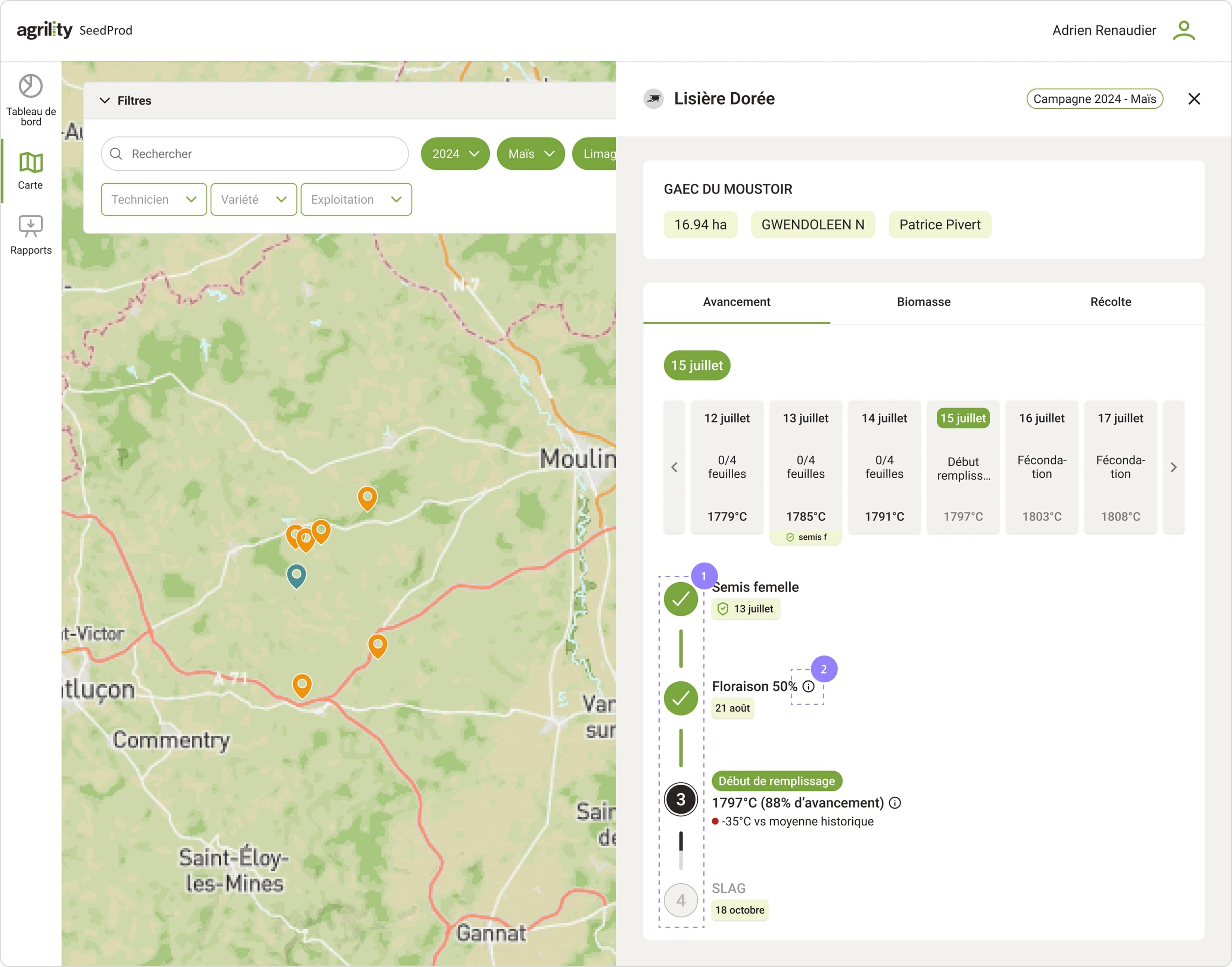
1
2
A horizontal format would have been difficult to display on a mobile phone because screens are taller than they are wide. This also allows tooltips to be placed without overlapping the content.
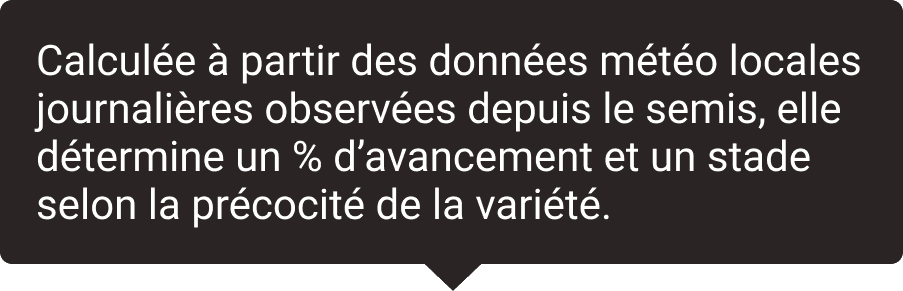
Example of a tooltip for the predicted flowering date
↪ Technicians can plan their interventions in advance by monitoring plant development. The new design boosts confidence in predictions thanks to tooltips and the correlation between degree days and phenological stages.
Result
In a context of climate uncertainty and agronomic constraints, a prediction tool is a valuable aid. But the value of AI lies as much in how it presents its recommendations as in their accuracy.
An ‘imposed’ date can undermine confidence, while a contextualised suggestion reinforces the feeling of control.
AI should help with decision-making, not make decisions instead of us.
Developments
In addition to these developments, I explored other features that could be considered to facilitate the work of technicians.
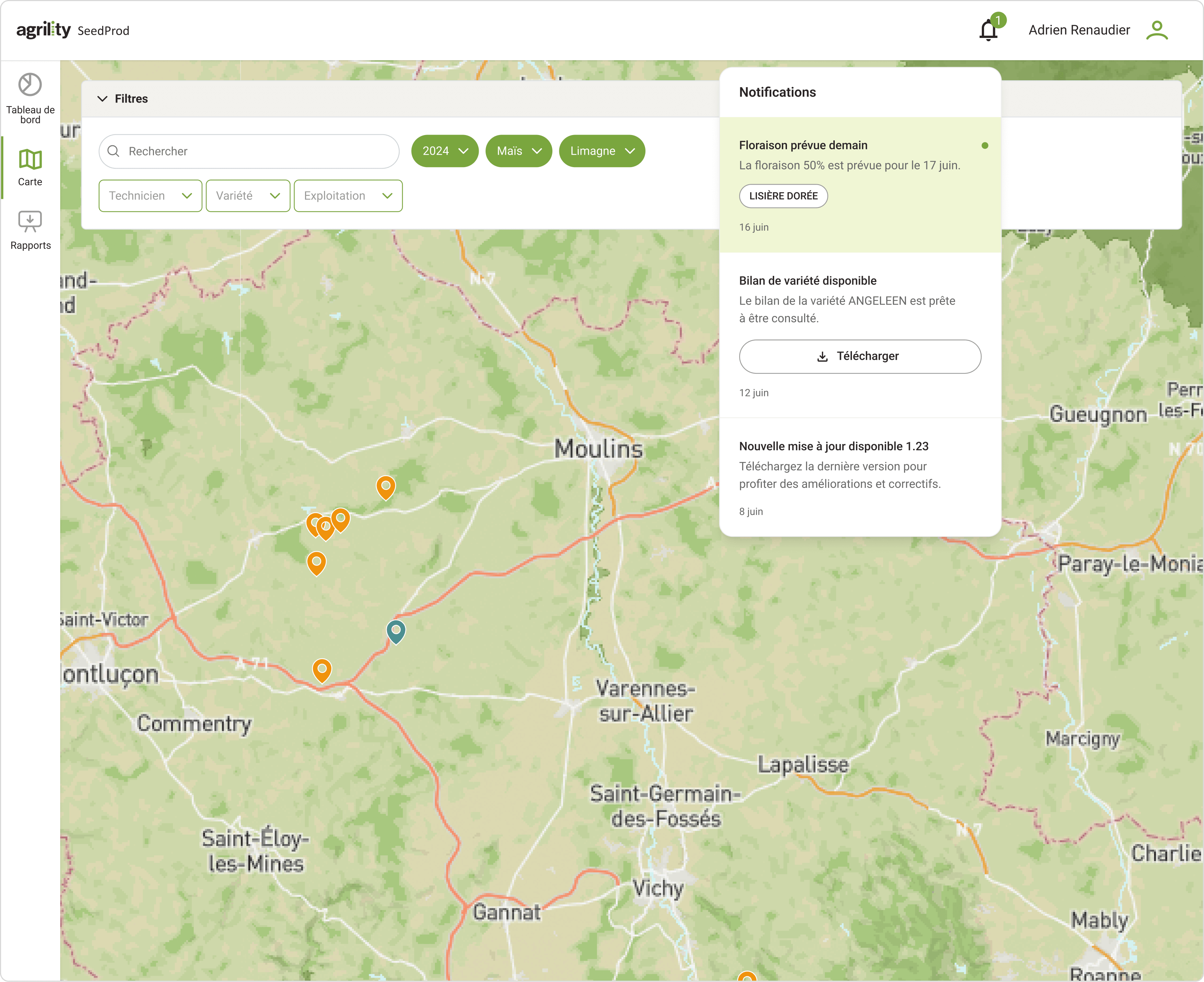
Technicians can directly access the plots affected by an event without having to consult them one by one. Their time is optimised and the risk of oversights is reduced.
The notification format can easily be reused for other information, such as reports or updates. It is a flexible component that makes information accessible across all pages.
Get a daily summary of plots
Monitoring becomes faster thanks to an overview of each plot. This provides a comprehensive view of the plots being monitored while focusing on potential interventions.
Initially, this feature could be tested via notifications before being integrated into a page.
Development would be faster because notifications already exist thanks to my previous improvement proposal. This would also allow us to quickly test the usefulness of the feature with users.


Preview of the notification received
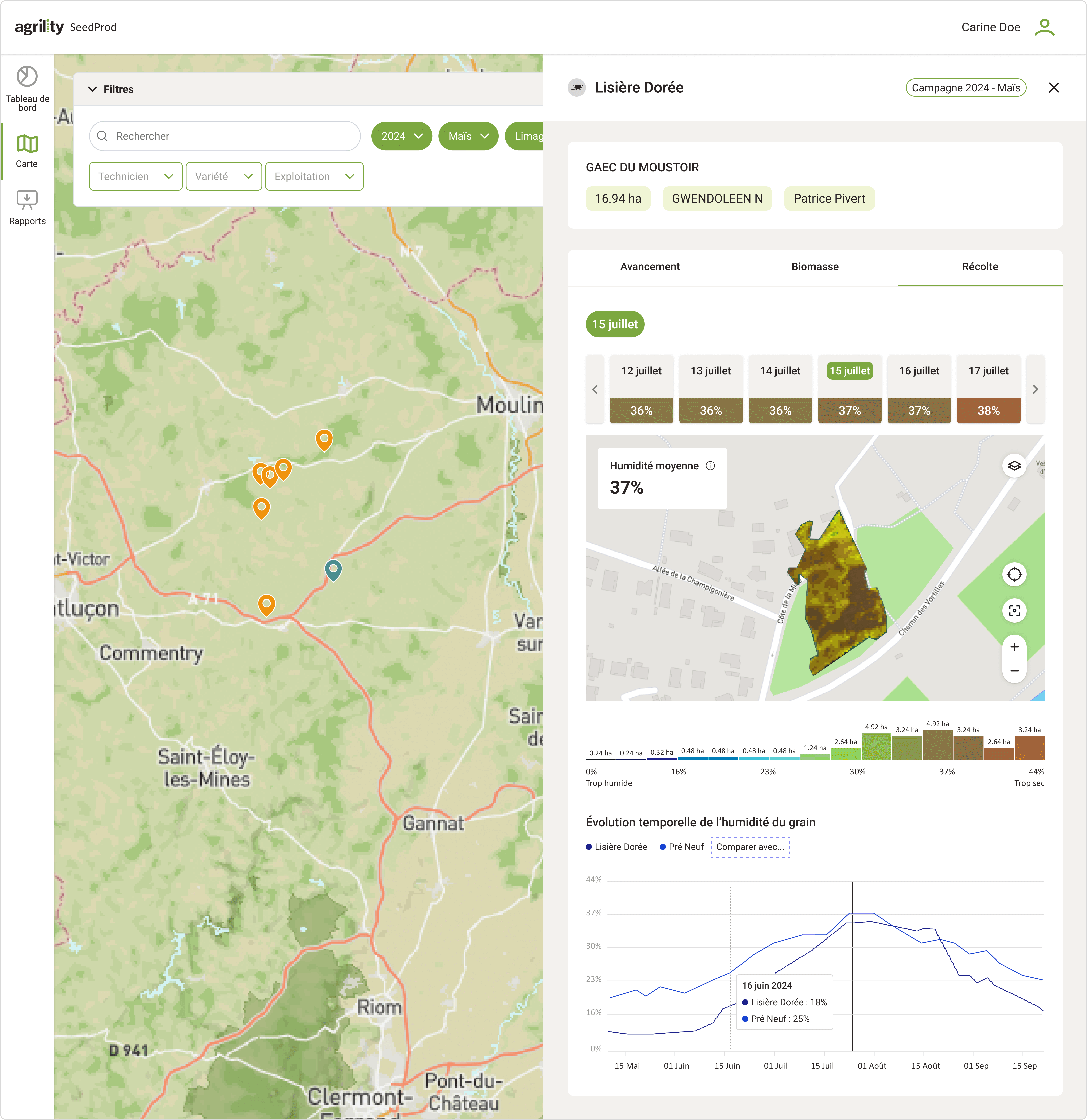
Compare plots on a shared graph
Using the "Compare with" button, technicians can display several plots simultaneously on the same graph.
They no longer need to switch between tabs to compare plots. This reduces their mental load and allows them to focus on analysis rather than navigation.
They can advise farmers by drawing inspiration from best practices, which promotes collaboration between farmers.